How to Create a Content Calendar That Works
May 15, 2026
A content calendar is much more than just a schedule. It’s the playbook that transforms your marketing from chaotic, last minute scrambling into a smooth, strategic operation. It’s the single source of truth that ensures every blog post, tweet, and video has a clear purpose and a designated home.
Why Your Calendar Is Your Strongest Marketing Tool

Let’s be real, marketing without a plan is pure chaos. One day the team is desperately trying to come up with a social media post, and the next you’re pulling an all nighter on a blog because you just realized it’s been two weeks since you last published. This kind of reactive work isn’t just exhausting; it’s a recipe for failure.
A solid content calendar acts as the central nervous system for your entire marketing strategy. It’s what allows your team to stop putting out fires and start strategically building your brand. We’re not just talking about plugging dates into a spreadsheet; we’re talking about creating a detailed roadmap that guides every single action you take.
From Reactive Scrambling to Proactive Strategy
Picture this: you know exactly what’s going live next Tuesday, who’s handling it, and precisely how it supports your big picture business goals for the quarter. That kind of clarity is what a content calendar delivers. It gives everyone a single, shared view of all marketing activities, getting your whole team on the same page.
When the plan is clear, collaboration just clicks. Your graphic designer isn’t blindsided by an urgent request, and the social media manager has plenty of time to get promotional assets ready. This proactive workflow kills the stress and frees up everyone’s mental bandwidth for the creative, high impact work that actually moves the needle.
A content calendar doesn’t just organize your posts; it organizes your thoughts. It forces you to think ahead, connect campaigns, and ensure every piece of content serves a larger strategic purpose instead of just filling a void.
This move toward structured planning is a huge trend. The global calendar app market, valued at USD 5.71 billion in 2023, is expected to explode to USD 16.37 billion by 2030, all because businesses need better ways to manage their campaigns. You can dig into more stats about this growing market on amraandelma.com.
Aligning Content with Business Objectives
It’s incredibly easy to fall into the trap of creating content just for the sake of it. You publish a blog that gets a bit of traffic or a video that racks up a few likes, but are those activities actually helping your business grow? A content calendar makes you tie every asset back to a specific, meaningful objective.
For instance, you can strategically map out content to:
- Boost organic traffic by targeting specific keyword clusters over a three month period.
- Generate qualified leads by planning a webinar series supported by related blog posts and a follow up email sequence.
- Improve customer retention with a monthly newsletter that shares helpful product tips and customer success stories.
Laying out your strategy visually helps you spot gaps and opportunities you’d otherwise miss. You might realize you’re heavy on top of funnel content but have nothing for prospects in the middle of their journey. A calendar gives you the framework to make these smart adjustments. If you need help building a more holistic plan, our guide on content marketing best practices is a great place to start. Ultimately, this planning ensures your efforts are consistently driving real, measurable results.
Laying the Groundwork for Your Content Calendar
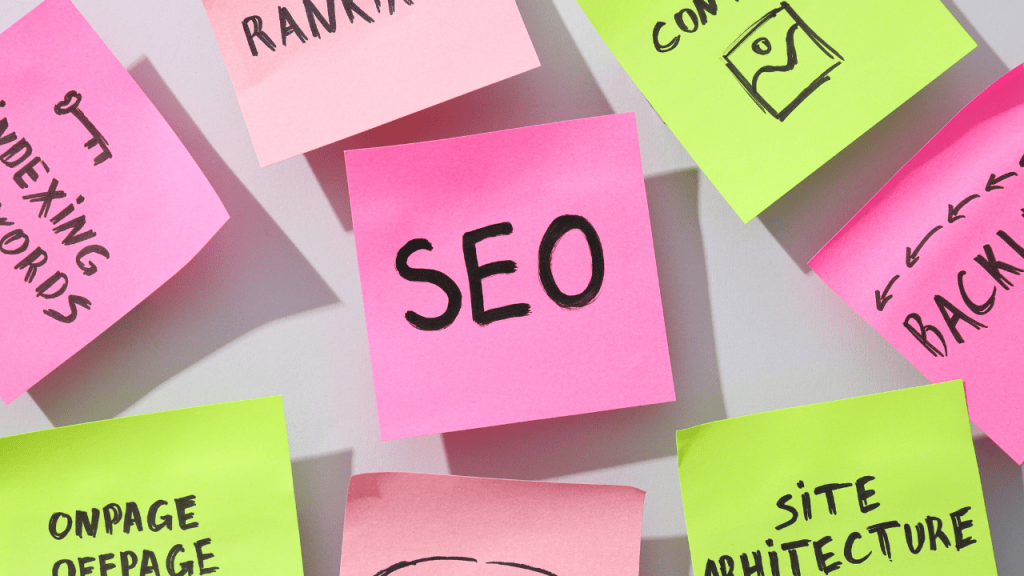
Before you ever open a spreadsheet or sign up for a fancy new tool, the real work begins. It’s tempting to jump right into brainstorming topics, but the most effective content calendars are built on a solid strategic foundation. This initial planning is what separates a simple list of posts from a powerful engine that actually drives business results. It’s all about making sure every single piece of content has a purpose from day one.
The best place to start is by looking back at what you’ve already done. A content audit is your chance to see what’s genuinely connecting with your audience and what’s falling flat. Let the data tell the story.
Start With a Thorough Content Audit
An audit sounds intimidating, but it doesn’t have to be a massive undertaking. Just focus on gathering your best performing content from the past six to twelve months. As you comb through the analytics, you’ll start to see patterns emerge.
- Your Best Blog Posts: Which articles are pulling in the most organic traffic? Take note of the topics, formats, and keywords they’re ranking for.
- Top Social Media Hits: What posts on LinkedIn or Instagram earned the most comments, shares, and saves? Was it a detailed carousel, a quick video tip, or a behind the scenes look at your company?
- Content That Converts: Do you have any webinars, case studies, or guides that consistently bring in leads? Figure out what makes them so persuasive.
This process gives you a data backed starting point. You’re no longer just guessing what your audience wants; you know what they already love. If you need help getting all these assets organized, our guide on digital asset management best practices is a great resource.
Set Clear, Measurable Goals
With these insights in hand, you can start setting goals that actually mean something. Pumping out content without a clear objective is like driving without a destination, you’ll burn a lot of fuel but won’t get anywhere. Make your goals specific, measurable, achievable, relevant, and time bound (SMART).
Forget vague targets like “increase website traffic.” Get specific. For example, your goals might look more like this:
- Increase organic blog traffic by 20% over the next quarter.
- Generate 50 qualified leads per month directly from our content.
- Boost our Instagram engagement rate by 2% within the next 60 days.
This simple shift from vague wishes to precise targets turns your content calendar into a strategic growth tool. Every idea can now be weighed against these goals: “Does this article help our traffic target?” or “Will this video actually help us generate more leads?”
This goal first approach keeps your team focused on what matters and makes it far easier to justify the time and money you invest in content.
Understand Your Audience and Define Your Pillars
Now, let’s get crystal clear on who you’re talking to. This is where creating detailed audience personas is invaluable. Go deeper than basic demographics. What are their biggest frustrations? What questions are they typing into Google? What truly motivates them to act?
When you have a solid persona, you can create content that feels like it was written just for them. From there, you can establish your core content pillars, the three to five big picture topics your brand will own.
For a project management software company, these pillars might be:
- Productivity Hacks
- Team Collaboration
- Project Management Methods
- Leadership and Management
These pillars become the buckets for all your future ideas, ensuring everything you create is consistent and builds your authority in a specific niche. To keep those buckets full, you’ll need a steady flow of creative ideas; check out these 10 social media post ideas to go viral to get your brainstorming started. Sticking to your pillars is how you become the go to resource in your field, which is the ultimate goal when building a content calendar that works.
Choosing the Right Tools for Your Team
The “best” tool for your content calendar isn’t necessarily the one with the most features or the flashiest dashboard. It’s the one that actually fits how your team works. The right platform should make life easier, not add another layer of complexity to your day.
For many, the best place to start is with something simple and familiar. You don’t always need a high powered, expensive solution right out of the gate.
Starting Simple: Spreadsheets and Kanban Boards
Don’t underestimate the power of a well organized spreadsheet. Many teams, especially smaller ones or solo creators, run their entire content operation from Google Sheets. It’s free, collaborative, and you can mold it into exactly what you need.
A simple, effective spreadsheet calendar just needs a few key columns:
- Publish Date: The target go live date.
- Content Title/Topic: The working headline or idea.
- Content Type: Is it a blog post, video, social media update?
- Author: Who’s on point for this piece?
- Status: A dropdown with ‘Idea,’ ‘Drafting,’ ‘In Review,’ and ‘Scheduled’ works wonders for at a glance progress tracking.
- Target Keyword: Keeps your SEO goals visible.
- Distribution Channels: Where will this be shared? (e.g., LinkedIn, newsletter, Twitter).
If you’re a more visual thinker, Trello is another fantastic starting point. Its Kanban style boards let you create a card for each piece of content and literally drag it through your production stages, from “Ideas” to “Published.” It’s incredibly satisfying.
When to Upgrade to a Dedicated Platform
As your content engine picks up speed and your team grows, you’ll likely feel the limitations of a basic spreadsheet. That’s the signal to look into dedicated content platforms. This is where you get automation, sophisticated collaboration, and features that cut down on manual busywork.
These tools are a big deal. The global calendar software market was valued at around $36.39 billion in 2021 and is projected to climb to $43.4 billion by 2026. It’s a massive industry because these platforms solve very real problems for businesses. Regions like Asia Pacific, holding a 28.19% market share, underscore just how essential these tools have become worldwide. You can dig into the numbers yourself and learn more about the global calendar market growth on cognitivemarketresearch.com.
Platforms like Asana, CoSchedule, and Airtable are built for this. They centralize everything: files, feedback, deadlines, approvals. So you aren’t hunting through email chains and Slack channels for the latest version of a blog post.
The real game changer with a dedicated tool isn’t just the scheduling. It’s about creating a single source of truth for your entire content operation. When everyone on the team knows exactly where to look for what they need, the whole process just flows.
These platforms often come loaded with features like automated deadline reminders, built in approval workflows, and integrations with your other marketing tools. If social media is a big part of your strategy, there are a ton of specialized options out there. We’ve actually put together a guide on the best content creation tools for social media that can help you narrow down the choices.
Content Calendar Tool Comparison
So, how do you pick the right one? It really boils down to your team’s size, budget, and unique workflow. A large, remote team has very different needs than a two person startup. To give you a starting point, here’s a quick breakdown of some of the most popular options.
| Tool | Best For | Key Features | Pricing Model |
|---|---|---|---|
| Google Sheets | Solo creators and small teams on a tight budget. | Fully customizable, free, and excellent for basic tracking. | Free |
| Trello | Visual thinkers and teams that love Kanban workflows. | Intuitive drag and drop interface and simple automation rules. | Freemium |
| Asana | Teams managing multiple complex projects and deadlines. | Task dependencies, timeline views, and detailed reporting. | Freemium |
| CoSchedule | Marketing teams wanting an all in one editorial calendar. | Content, social, and email scheduling in one place. | Paid |
| Airtable | Data driven teams who need a hybrid spreadsheet database. | Powerful filtering, custom views, and advanced integrations. | Freemium |
At the end of the day, the best tool is the one your team will actually use consistently. Start by pinpointing your biggest bottleneck. Is it missed deadlines? Messy approvals? Lack of visibility? Choose the platform that solves that problem, and your content calendar will finally become the powerful, organized asset it’s meant to be.
Bringing Your Content Calendar to Life
Alright, you’ve got your foundation built and your tools picked out. Now for the fun part: turning that static plan into a living, breathing machine that fuels your marketing. This is where your calendar stops being a spreadsheet and starts being the command center for your entire content operation.
Too many people make the mistake of setting up a calendar once and then forgetting about it. Don’t do that. Think of it as the central hub where you’ll brainstorm ideas, track progress, and build a consistent publishing rhythm.
This infographic breaks down a simple way to think about choosing the right tool for your team’s needs.
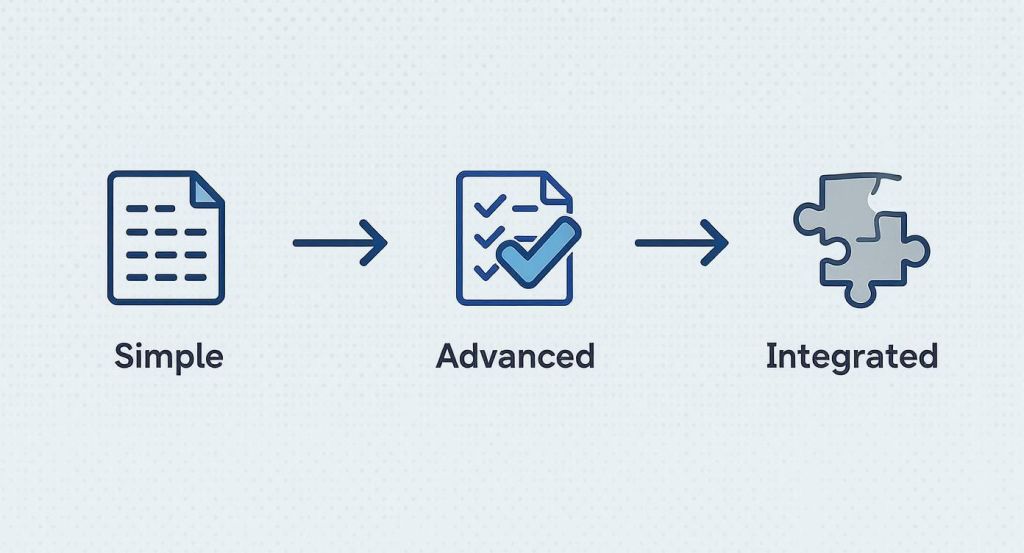
As you can see, the best tool often depends on your team’s size and complexity. What starts as a simple spreadsheet can easily grow into a more powerful, integrated platform as your needs evolve.
From Raw Ideas to Scheduled Posts
A great content calendar runs on a steady diet of relevant ideas. Brainstorming shouldn’t be a last minute panic session. Instead, make it a structured, regular habit that’s tied directly to your business goals and content pillars. I’ve found a weekly or bi-weekly brainstorming meeting is perfect for keeping the idea backlog full and avoiding that dreaded “What are we posting today?” feeling.
Once you have a solid list of topics, it’s time to map them to your workflow. This is where status tags or labels in your calendar tool become your best friend. They give anyone who looks at the calendar an instant snapshot of where every single piece of content stands.
A typical content workflow might look something like this:
- Idea: A raw topic, logged but not yet fleshed out.
- Outlining: The skeleton of the content is being built.
- Drafting: The first version is actively being written or created.
- In Review: The draft is with a manager or client for feedback.
- Scheduled: It’s approved and loaded into your publishing queue.
- Published: The content is live and out in the world.
Having a clear, visible workflow like this gets rid of so much confusion and makes it clear who’s responsible for what at each stage. It transforms your calendar from a simple schedule into a real project management powerhouse.
Finding Your Publishing Rhythm
One of the hardest and most important parts of this process is setting a realistic publishing cadence. It’s so easy to fall into the trap of thinking you need to post everywhere, every day. That’s a fast track to burnout and mediocre content.
Consistency always beats frequency.
Take a hard look at your team’s bandwidth and what you’ve managed to do in the past. If you can realistically produce one fantastic, deeply researched blog post per week, then commit to that. A sustainable schedule that your team feels good about is infinitely better than an overly ambitious one that leaves everyone drained.
A content calendar’s true power isn’t just in scheduling what you publish, but in protecting your team’s time to create high quality work. A realistic cadence prevents burnout and ensures every piece of content gets the attention it deserves.
And remember, not every post has to be a brand new masterpiece. You can strategically fill gaps in your calendar by getting creative with what you already have. We cover this in depth in our guide on effective content repurposing strategies. This approach lets you get more mileage out of your best work without piling on the pressure.
Planning Around Key Moments
Your content calendar can’t exist in a bubble. To get the most impact, you need to anchor your plan to key dates and events that actually matter to your audience and your industry. It’s a simple way to join existing conversations and give your engagement a natural boost.
Before you start filling in day to day posts, block out the entire year with these “tentpole” events:
- Major Holidays: And I don’t just mean the big ones. Look for fun, niche holidays that fit your brand, like “National Coffee Day” or “World Backup Day.”
- Industry Events: Are there big trade shows or conferences on the horizon? Plan content for the weeks leading up to the event, during it, and a recap afterward.
- Company Milestones: Get ahead of product launches, company anniversaries, or major announcements.
- Seasonal Trends: For anyone in e-commerce, this is huge. Map out your content for “Back to School” or the holiday shopping season months in advance.
By building your calendar around these key moments first, you create a strategic framework for the rest of your content. This proactive approach helps you produce smarter, more timely content that truly connects with your audience, making your calendar an absolutely essential tool for success.
Weaving Social Media Into Your Content Strategy
A great content calendar is so much more than a schedule for your blog. Think of it as the central hub that connects your deep dive articles with the fast moving currents of social media. This is where a lot of marketing plans stumble, they treat social as an afterthought, which leads to a clunky, disjointed brand voice.
Let’s stop thinking of social media as just a place to dump links. Each platform is its own ecosystem with a unique audience and its own unspoken rules. Your content calendar is the perfect place to map out how your brand’s story will unfold cohesively across every single one of them.
Tailoring Your Content for Each Platform
One solid, long form piece of content, like a comprehensive guide or a detailed case study, is a treasure trove for social media. The secret is to resist the urge to just copy and paste the headline and a link. You need to slice it, dice it, and repackage it for the platform you’re posting on.
Here’s how that might look in practice:
- LinkedIn: Extract a powerful statistic or a professional insight from your article. Use it to start a conversation with a thought provoking text post aimed at your industry peers.
- Instagram: Convert the key data points into a slick, shareable carousel graphic. Or, create a quick Reel that walks through the main takeaways in under 60 seconds.
- TikTok: Identify a relatable problem your article solves. Film a quick, engaging video that presents the solution and directs viewers back to your blog for the full story.
This “deconstruct and repurpose” method ensures your message feels native to how people actually use each network. If you want to dig deeper, learning how to plan social media content is a great next step. By scheduling these platform specific posts right in your calendar, you build a presence that feels both consistent and fresh.
Pro Tip: Your content calendar should be a blueprint for deconstruction. Plan to break down one major content piece into five to seven smaller, platform native social posts. This maximizes your content’s value and ensures a consistent presence without constant reinvention.
Scheduling for Peak Performance
On social media, timing is everything. Dropping a post when your audience is most active can make the difference between a whisper and a roar. Nearly every social platform provides analytics that show you the peak activity hours and days for your followers, use that data to your advantage.
Your calendar also helps you orchestrate a launch. For a big blog post, you can map out an entire week of promotional activity. This could look like a teaser post the day before, a big announcement on launch day, and a series of follow up posts sharing different quotes or angles throughout the rest of the week. For more ideas on getting traction, our guide on how to increase social media engagement is packed with actionable advice.
Why a Cohesive Social Plan Matters
A well planned content calendar completely changes the game for social media marketing efficiency. By 2026, an estimated 65.7% of the world’s population will be on social media, juggling nearly seven different platforms a month.
With people spending around 141 minutes a day on social media and 58% of consumers discovering new brands there, you can’t afford to be disorganized. The stakes are simply too high.
This planned approach allows you to maintain a steady, relevant stream of content that keeps your audience engaged. It breaks down the walls between your blog team and your social team, ensuring everyone is working from the same playbook to tell a consistent and memorable brand story across every channel.
Answering Your Top Content Calendar Questions
Even with the perfect tool and a solid plan, you’re going to have questions once you start living in your content calendar every day. I’ve been there. Getting past these common hurdles is what separates a calendar that actually works from one that just becomes another forgotten spreadsheet.
Let’s dig into some of the most common questions I hear from marketers who are just getting started.
How Far in Advance Should I Plan My Content?
This is the classic “how long is a piece of string?” question, but there’s a practical answer. I always recommend planning one full month out in detail.
This gives your writers, designers, and reviewers enough breathing room to produce quality work without feeling like they’re on a constant treadmill. For bigger picture things like a product launch or a major holiday campaign, you’ll want to sketch out a high level plan for the entire quarter.
The trick is finding that sweet spot between a detailed short term plan and a flexible long term vision. This way, you have a clear path for the next few weeks but can still jump on a trending topic without blowing up your whole strategy.
Is a Content Calendar the Same as an Editorial Calendar?
You’ll hear people use these terms interchangeably, and honestly, in most teams, they’ve merged into one thing. But if we’re getting technical, there is a subtle difference.
Think of it like this:
- An editorial calendar is your 30,000 foot view. It’s strategic, mapping out broad themes and major campaigns for the quarter or year.
- A content calendar is your boots on the ground schedule. It’s tactical, detailing specific post titles, formats, deadlines, and social media updates.
Most modern marketing teams I’ve worked with just use a single, comprehensive content calendar that does both. It’s just more efficient to have one source of truth.
By combining the strategic overview of an editorial calendar with the day to day details of a content calendar, you create a powerful tool. It directly connects your big picture goals to the daily tasks that make them happen, ensuring every piece of content has a purpose.
How Can I Keep My Calendar Flexible for Trending Topics?
A rigid calendar is a useless calendar. The world moves too fast. If you can’t adapt, your plan will be obsolete in a week. The best way to build in agility is to stop trying to schedule every single slot weeks ahead of time.
I always recommend leaving a few open gaps in your schedule each week. Label them “reactive” or “opportunistic” content slots. This gives you the built in capacity to jump on breaking news or a viral trend without the stress.
Another pro tip is to color code your calendar. Use different colors to distinguish between evergreen content (which can be shuffled around easily) and time sensitive content (like a launch or event announcement). This simple visual cue shows you exactly where you have wiggle room at a glance.
What Metrics Should I Be Tracking in My Calendar?
Your calendar’s job isn’t done when you hit “publish.” To turn it from a simple schedule into a strategic tool, you need to track performance right there within it. This is how you close the feedback loop and get smarter about what you create next.
It’s as simple as adding a few extra columns to your spreadsheet or custom fields in your project management tool.
- For a blog post: I’d track organic traffic, new keyword rankings, and a specific conversion goal, such as newsletter sign-ups.
- For a social media post: You’ll want to look at the engagement rate, overall reach, and the number of shares.
When you put this performance data right next to your planned content, patterns start to emerge. You’ll quickly see which topics are resonating and which formats are driving the best results, letting you confidently double down on what’s actually working.
Ready to manage your social media content more effectively? The IG Media tool makes it simple to download high-quality photos, videos, and Reels for your content planning and inspiration. Visit the IG Media website to start saving content effortlessly today.